

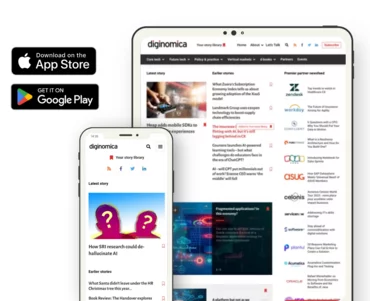
The (ad-free) diginomica app is downloadable from both Google Play and Apple’s App Store, available for all mobile devices on those platforms. (Read on for Alexa briefing details).
You can expect the same content speed and ease of consumption that we offer on our web site, free from ads and pop-up videos, and fully privacy compliant.
- navigate breaking enterprise news
- consume all diginomica content on-the-go
- save stories to your own library built into the app
diginomica is also available as a topic to follow inside of Google News - just search "diginomica" within Google News (or the Google News app) and click "follow."
You can also add diginomica's ad-free, daily enterprise briefing to Amazon Alexa devices - just add it to your Alexa Flash Briefing as a Flash Briefing skill. As of July 2024, you can also add diginomica as a "general" Alexa skill - even if you don't use Flash Briefings.


Note: for more tips on how to use diginomica as part of an Alexa Flash Briefing, check out Jon Reed's The enterprise professional's guide to Alexa Flash Briefings. Amazon's Flash Briefing help tips can get you started - select diginomica as one of your preferred news providers from Alexa.
You can also add diginomica as a general Alexa skill. Just go to your Alexa app, find "skills" (usually in the "more" menu), and search for diginomica. Once you've added diginomica as a skill, you can invoke the skill by saying "Alexa, open enterprise news." You can then choose from diginomica's latest stories, our latest partner thought leadership, and Jon Reed's podcasts. (Note: Alexa is tested for diginomica's skill in the US and UK regions. Contact us with additional region requests).
Slack integration of diginomica content - you can also integrate diginomica content with Slack vis RSS - and just about any type of content or topic on diginomica has a publicly available RSS feed you can grab for this purpose. For example you can take our main diginomica RSS content feed, and follow these one-time setup instructions to add diginomica content to your Slack environment, via its own content channel. Any issues with these integrations? Contact Jon Reed.
These apps are a collaboration with our Drupal development partner Brainsum. Brainsum has been instrumental in our user experience ambitions for diginomica readers, including other core features such as audio mode, Alexa briefings and dyslexia mode. We continue to add additional accessibility and voice-enabled features; diginomica is almost entirely screen reader accessible now, with a final round of tests pending. To make all this good stuff happen in the context of reader trust and accessibility, diginomica is one of the few publications that has taken a strong and clear stance on the use of generative AI in our own writing.
Apps users can contact diginomica by phone at 44-20-3103-7613